Stop running your shoots from your notes app.
Projects, crew pay, expenses and call times in one app, on the phone you already have with you on set.
- No credit card
- Set up in a minute
For photographers, MUAs, models & crews
Sound familiar?
The shoot goes fine. Keeping track of it is the hard part.
Crew pay tracked in a WhatsApp thread
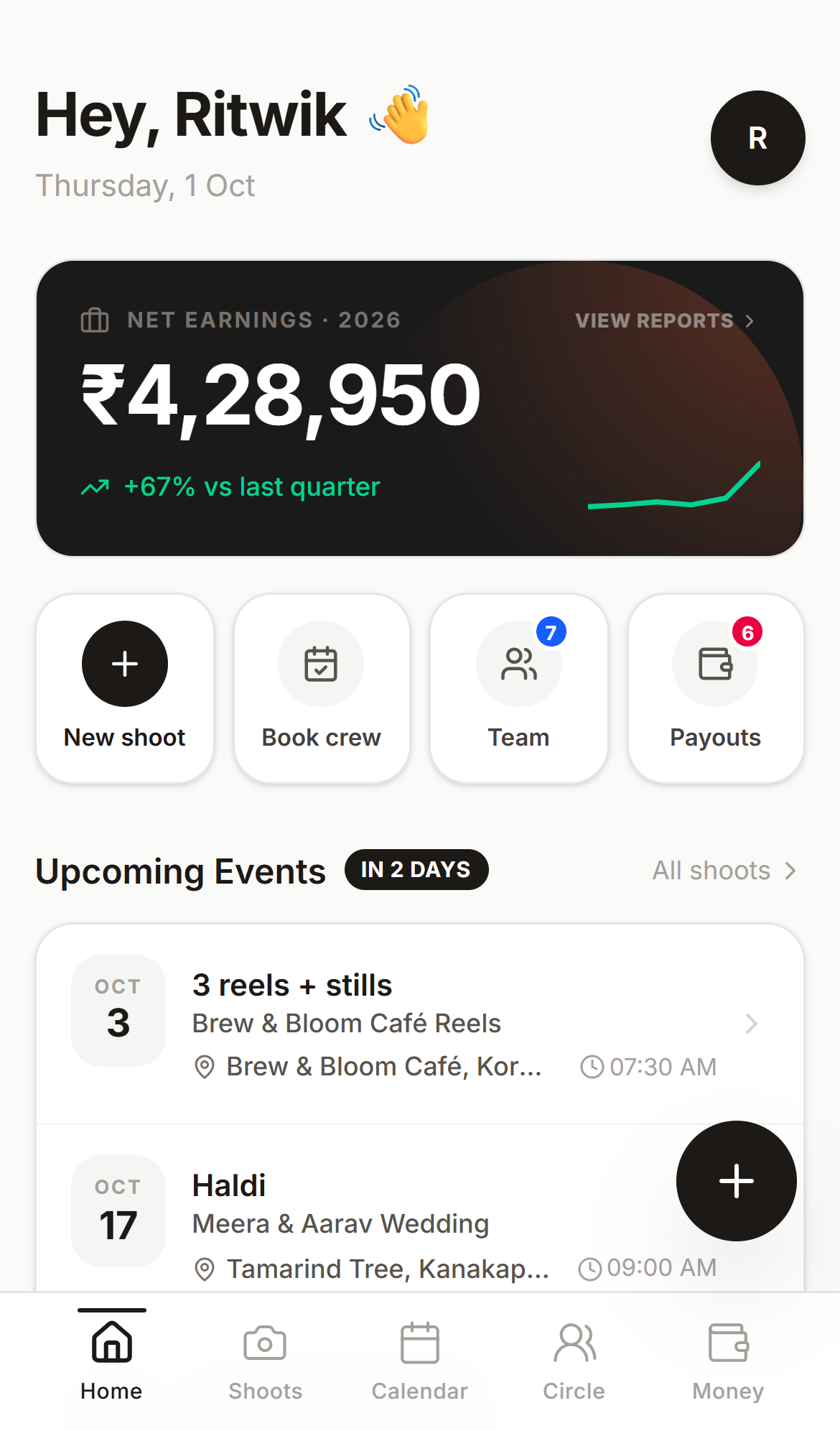
Every rate and payout in one place, marked paid or owed
Dates in your calendar, budget in a notes app
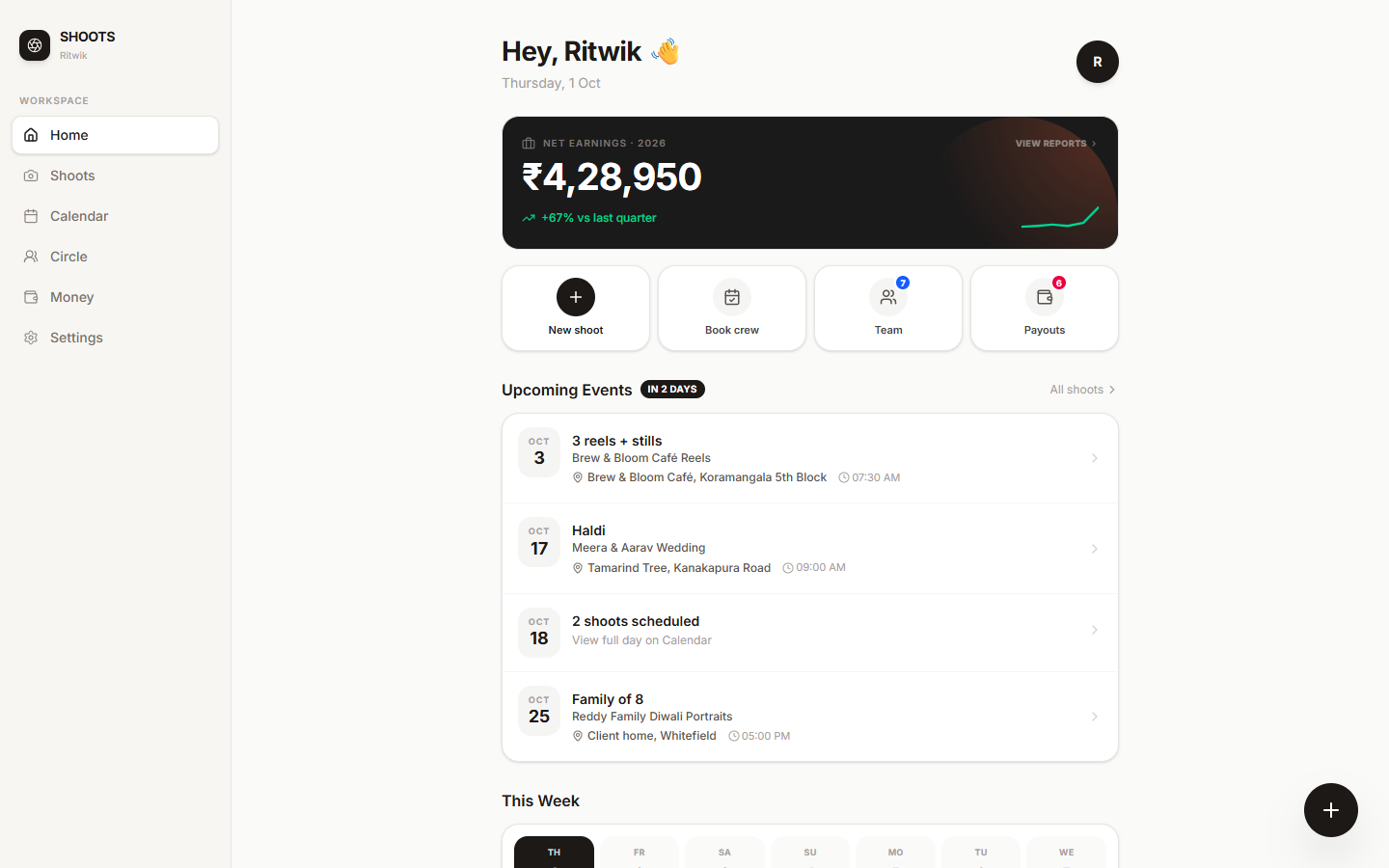
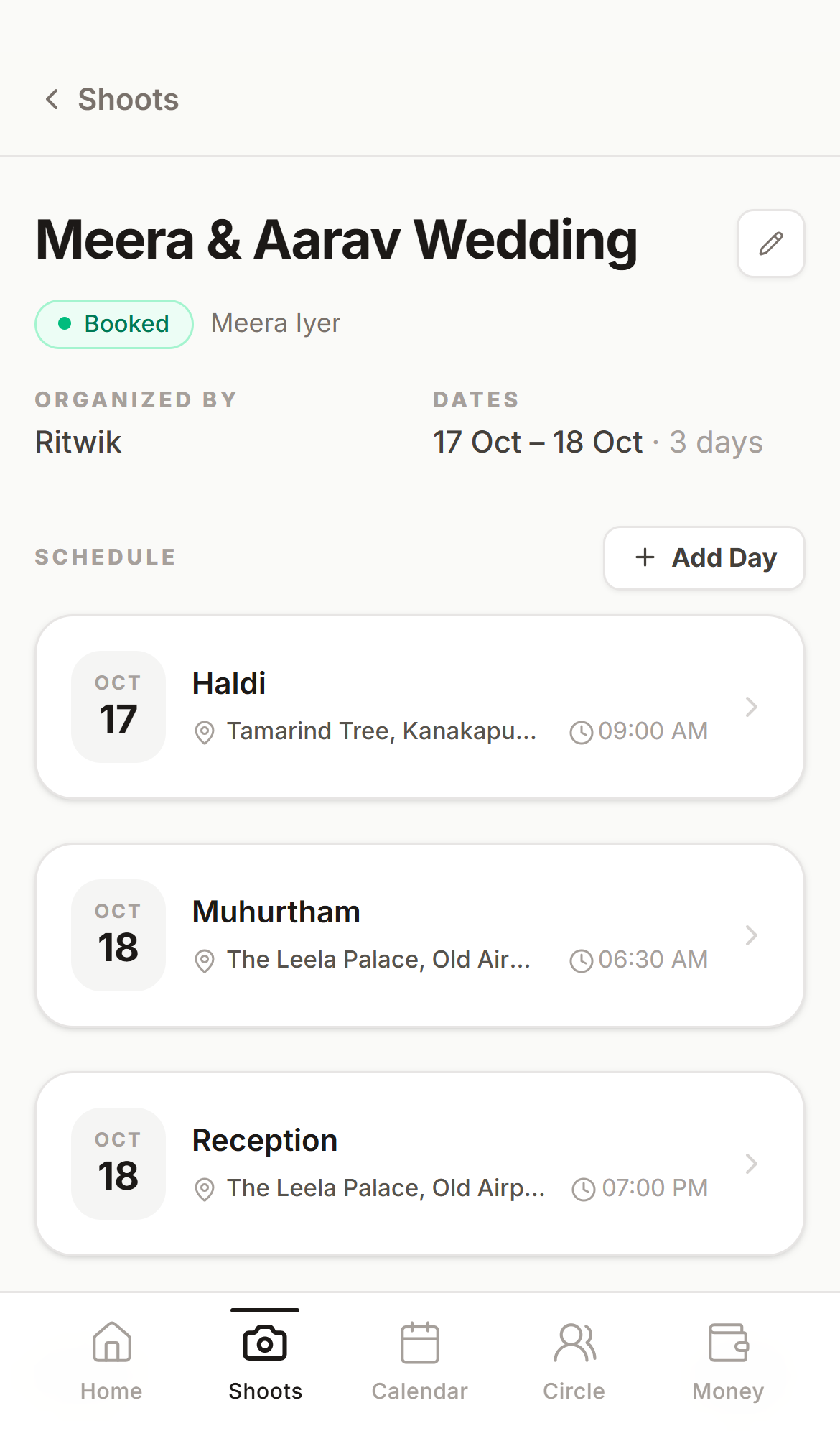
One project holds the days, call times, budget and spend
Clients texting “what time is the shoot again?”
Send one link with the full schedule, always up to date
See it before you sign up
Real screens from the app. It's built for the phone first, and works just as well on a laptop.
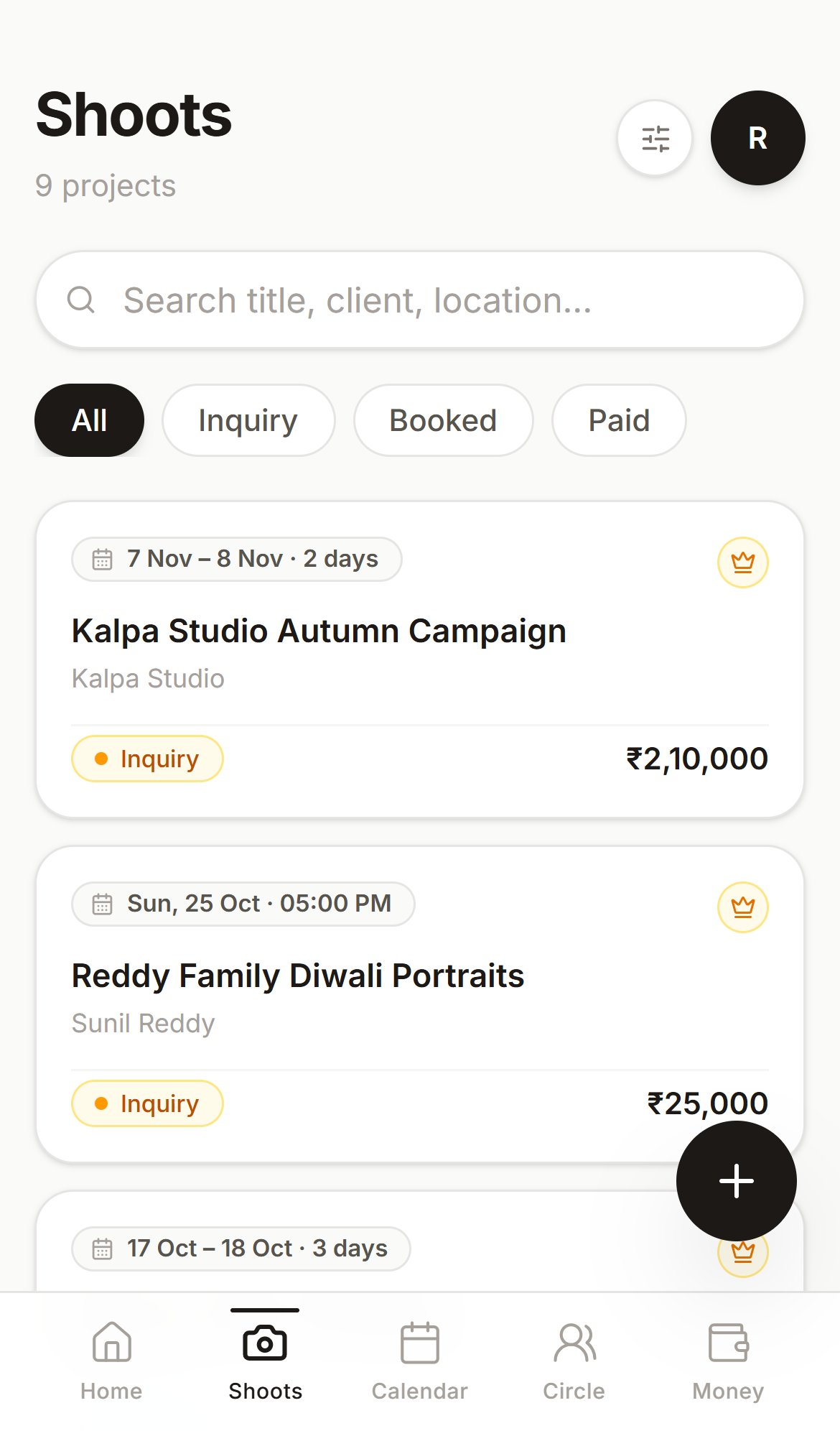
Your whole pipeline at a glance
Every job in one list, marked Inquiry, Booked or Paid. You always know what's confirmed and what's still a maybe.
Everything a paid shoot needs
Not a generic project tool squeezed onto a phone. It's built around how shoots with a crew actually run.
Projects, not spreadsheets
Every shoot is a project with its own days, call times and locations. Multi-day jobs stay in one place instead of five chat threads.
Crew pay, always visible
Set a rate per crew member and mark them paid or unpaid. You see who's owed what before anyone has to chase you for it.
Budgets that hold up
Log expenses by category against the budget and the totals update live. No reconciling receipts the night before taxes.
Client share links
Send your client one link with the schedule and delivery progress. They don't need an account, and they don't need to text you.
Your crew, one tap away
Circle keeps everyone you've worked with. Check who's free on a date, then call, WhatsApp or email them from your phone.
Private by default
Crew see only their own call time, location and pay. Your budget and everyone else's rate stay visible to you alone.
From first enquiry to final payout
Four steps, all of them doable from your phone.
- 1
Create a shoot
Add the client, the budget and each shoot day with its call time and location. It takes about a minute.
- 2
Add your crew
Pick people from Circle or invite someone new by email, and set what each person is paid.
- 3
Track the money on set
Log expenses as they happen and mark crew as paid. Budget vs. spend stays accurate without a spreadsheet.
- 4
Share and get paid
Send the client their link, move the shoot to Paid, and see your earnings across every job.
Invite once. Rebook in one tap.
Your crew don't need to sign up first, and they only ever see their own part of the job.
- 1
You invite by email
Add a crew member with just their email. If they're new to SHOOTS, their account is set up for them.
- 2
They get a real invite
They get an email with a direct link to the project, or to set a password first if they're new.
- 3
They see only their part
Crew get read-only access to their call time, location and their own payment status, and nothing else.
- 4
They join your Circle
Everyone you add is saved to Circle, so next time booking them is one tap instead of a new invite.
Next shoot, add them straight from Circle
Start free. Get 6 months of Pro free.
Sign up during early access and you get 6 months of Pro at no cost. After that, Pro is ₹799 a year, or you can stay on Free.
Pro
When you join during early access. Then ₹799 / year.
Claim 6 months free- Everything in Free
- Unlimited shoots
- Full analytics & charts
- Full searchable earnings history
- Delivery timeline on client links
- No SHOOTS branding on client links
- Priority support
Free
Every gig you're booked on, plus 3 of your own.
Start on Free- 3 shoots you create
- Unlimited shoots you're crew on
- Unlimited crew invites
- Budget, expenses & crew rates
- Crew payouts & payment tracking
- Calendar, search & Circle
- Client share link (schedule only)
No credit card, and no billing of any kind is running yet. After early access, Pro is ₹799 / year for people who join after it. We'll give plenty of notice before that starts.
Questions, answered
Is it really free?
Yes. The Free plan is free forever and covers 3 shoots you create, plus any number of shoots you're booked on as crew. Right now, during early access, everyone who signs up also gets their first 6 months of Pro free, with no credit card.
What happens when early access ends?
Everyone who signs up during early access gets 6 months of Pro free, counted from the day they join. Crew you invite count too, as long as they accept and sign in before early access ends. When your free 6 months are up you can stay on Free or continue with Pro for ₹799 a year, and we'll remind you before it ends. People who join after early access start on Free.
Who is SHOOTS for?
Photographers, makeup artists, models, stylists and freelance crews who run paid shoots with other people. If you've ever tracked a job's budget or crew pay in a notes app or spreadsheet, it's built for you.
Can my crew see the project budget?
No. Crew get a read-only view with their call time, location and their own payment status. The budget, expenses and everyone else's pay stay visible to you only.
Does my crew or client need an account?
Clients don't. They open the share link in any browser. Crew are set up automatically when you invite them by email, and they just set a password to see their part of the shoot.
Do I need to download it from an app store?
No. Open SHOOTS in your phone's browser and add it to your home screen. On iPhone, tap Share, then “Add to Home Screen”. On Android, tap the menu, then “Install app”. It opens full-screen like any other app.
Which currencies are supported?
14 currencies, including INR. Pick yours once during setup and every budget, rate and report uses it.
Something else? Email us. A real person reads every message.
Your next shoot doesn't need a spreadsheet
Set up your first project in about a minute. Join during early access and your first 6 months of Pro are free.
Already using SHOOTS? Log in